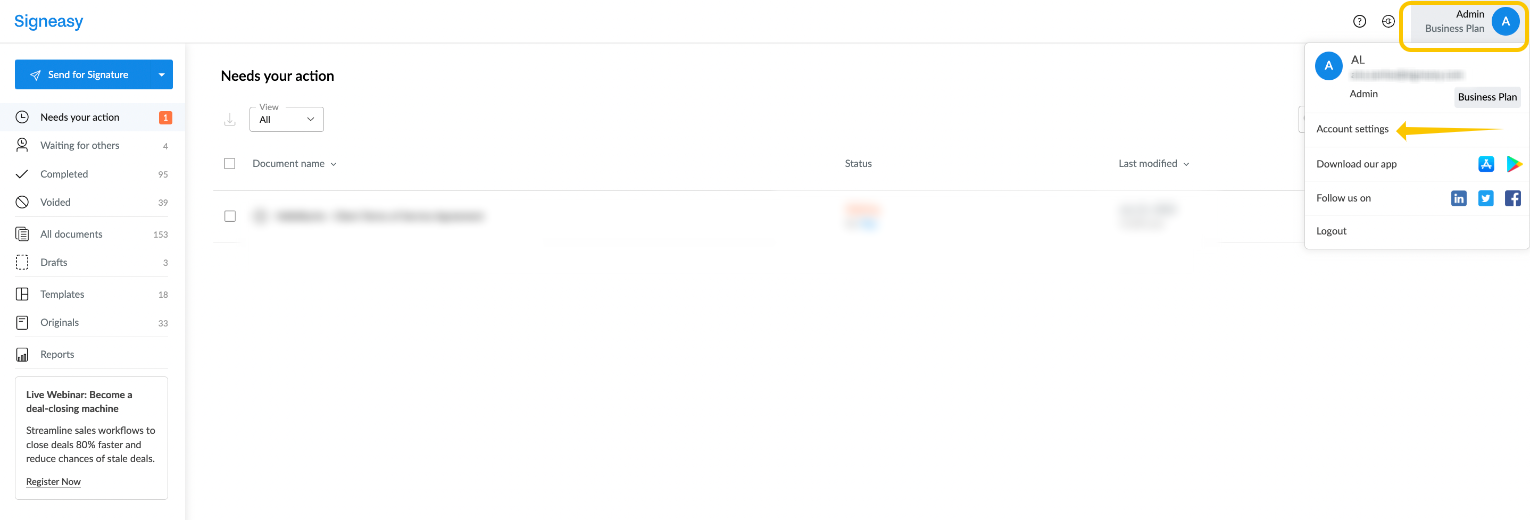
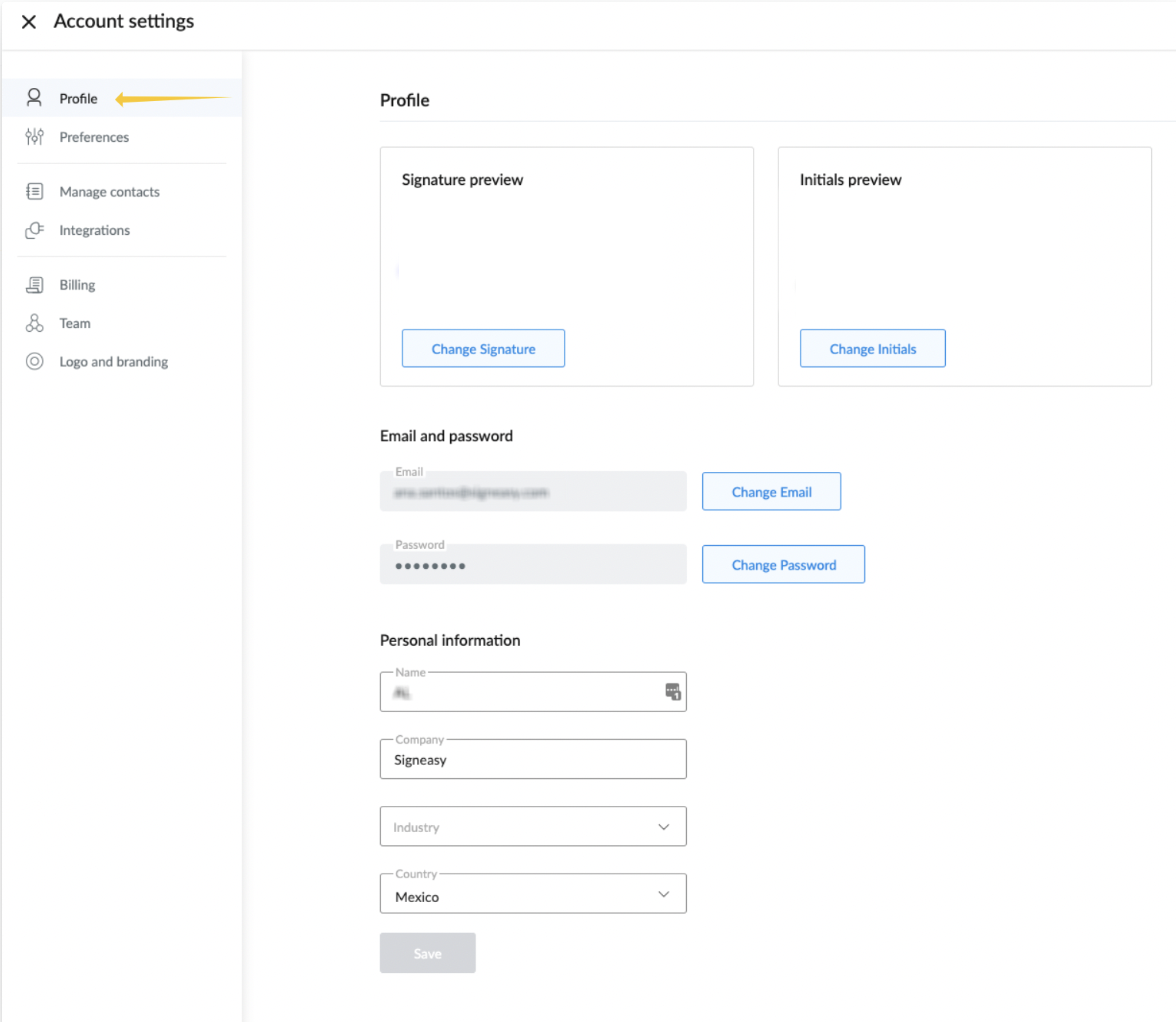
To manage your account settings, click your initials in the top right corner and select My Account from the drop-down menu. Here you can manage your personal details, email and change your password:
How Do I Change My Email Address?
Select change next to the email address, and type the target email within the pop-up window which appears:
You will be sent a verification link to your new email; click to verify.
How Do I Change My Password?
Select Change in the password section, and the following prompt will appear requesting to type your old password for confirmation, then enter the new password:
How Do I Reset My Password?
To reset a forgotten password, request a reset link https://app.signeasy.com/forgot-password, and you’ll receive a link to reset your password. The link is valid for 24 hours.
How Do I Change My Name and Company Information?
From the Profile section, you can type in your name and company details: